
Every morning at 5 AM, the women of my church gather for prayer. At the end of the session, our pastor’s wife shares a Bible verse and sends a voice recording of the day’s message via WhatsApp. For months, someone had to download that recording, open Canva, pick a background template, type the verse in both Tamil and English, and export a video - every single morning.
It was time consuming, template-dependent, and relied on one person not being too busy that morning. That was my cue.
What I Built
Vasanam Studio is a web app that takes a Bible verse reference and an audio recording and produces a finished MP4 video - with an AI-generated background matched to the verse, Tamil and English text, church branding, and all the details composited in - plus a ready-to-upload YouTube thumbnail. Anyone in the church can use it without asking me.
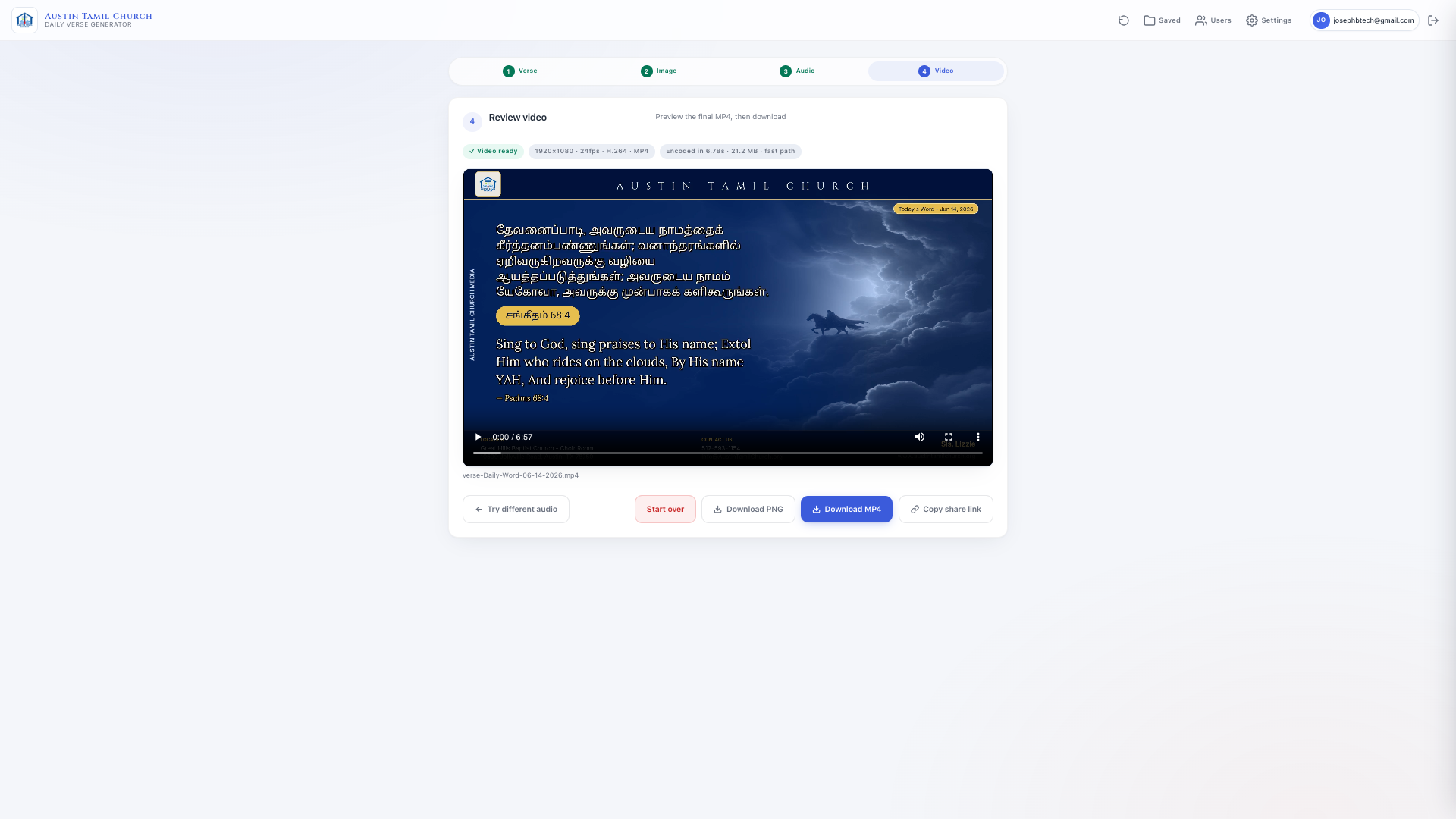
The output is a headless video. There is no talking head, no screen recording. The verse card image stays on screen the whole time while the audio message plays underneath - like a devotional lyric video you see shared on WhatsApp or church YouTube channels.
The day-to-day workflow is simple. Download the audio from WhatsApp, open the app, enter the Bible verse reference, upload the audio file, and click generate. That is it.
What Gets Composited on the Image
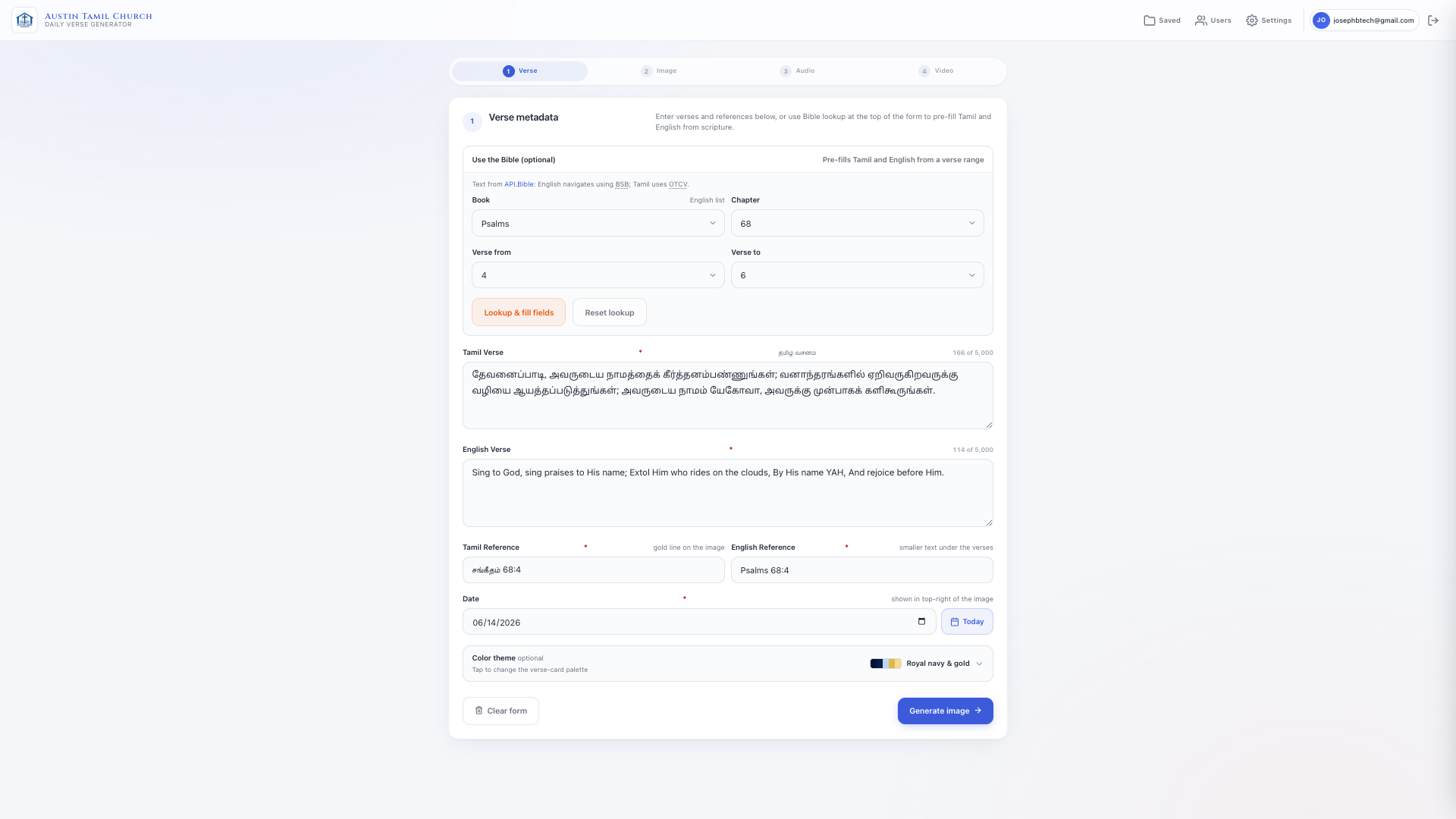
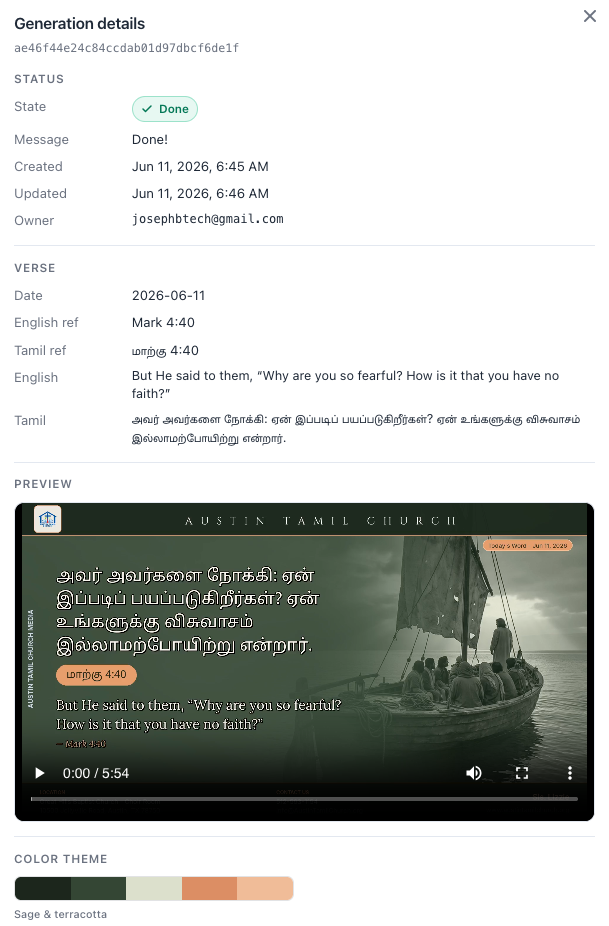
Every generated verse card is a 1920×1080 image. The app also derives a 1280×720 JPEG from the same card - exactly YouTube’s recommended thumbnail spec, under 100 KB - so whoever uploads the video never has to open an image editor to make one. The AI background is just the canvas - Python’s Pillow library then layers all the church branding elements on top:
- Tamil verse in a gold calligraphy font
- English verse in an elegant serif
- Church logo in the header
- Church name and short name
- Pastor or speaker name as a signature
- Church address, phone number, email, and website in the footer
- Verse reference pill (book, chapter, verse)
- Date badge (“Today’s Word”)
- A colour theme chosen from seven hand-tuned palettes (navy-gold, forest-bronze, burgundy-champagne, twilight-rose, sage-terracotta, midnight-copper, sea-coral)
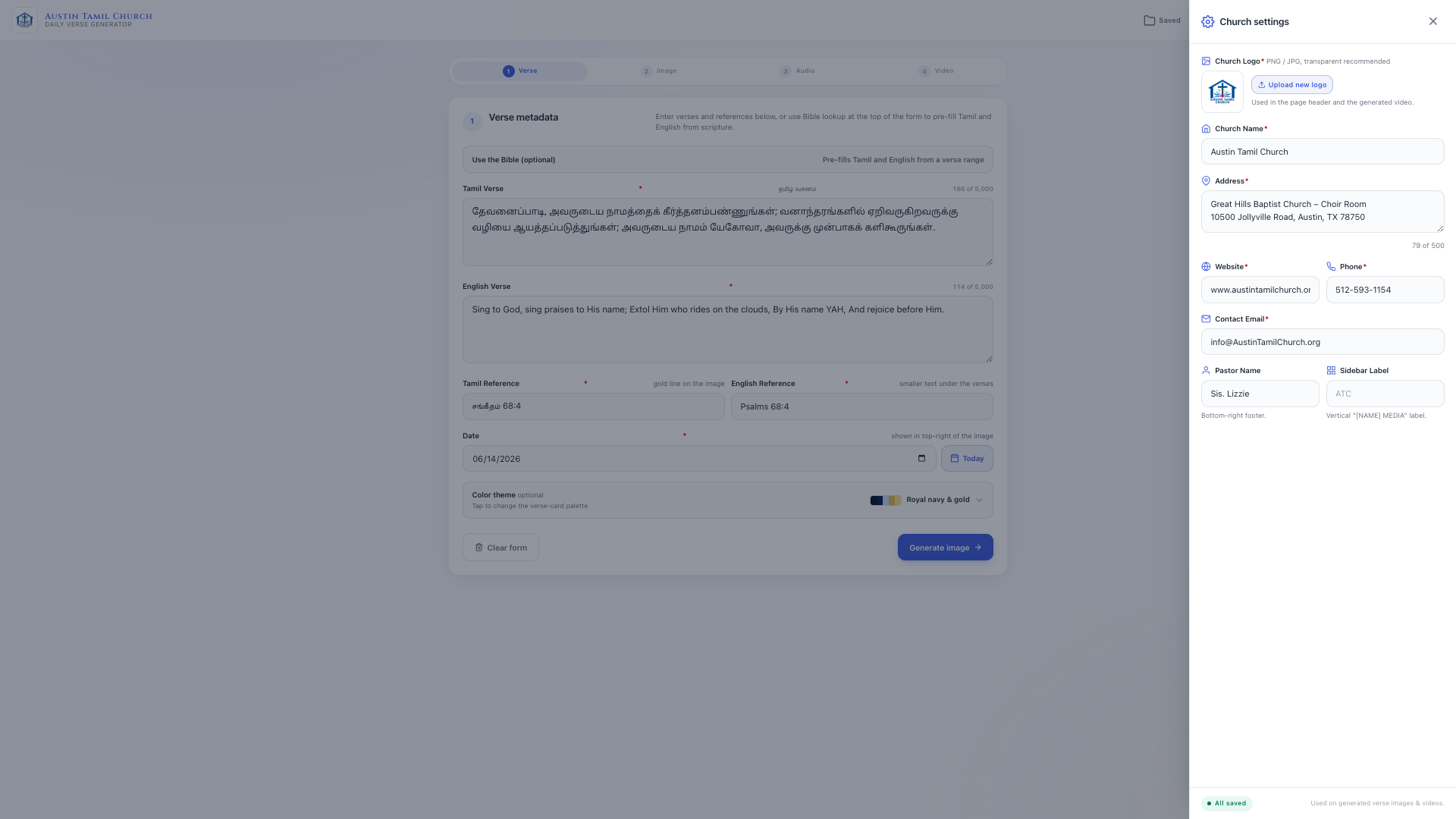
All of these are per-user settings. Each person who uses the app configures their own church details - so the same app can serve different churches without any code changes.
Bible Verse Lookup
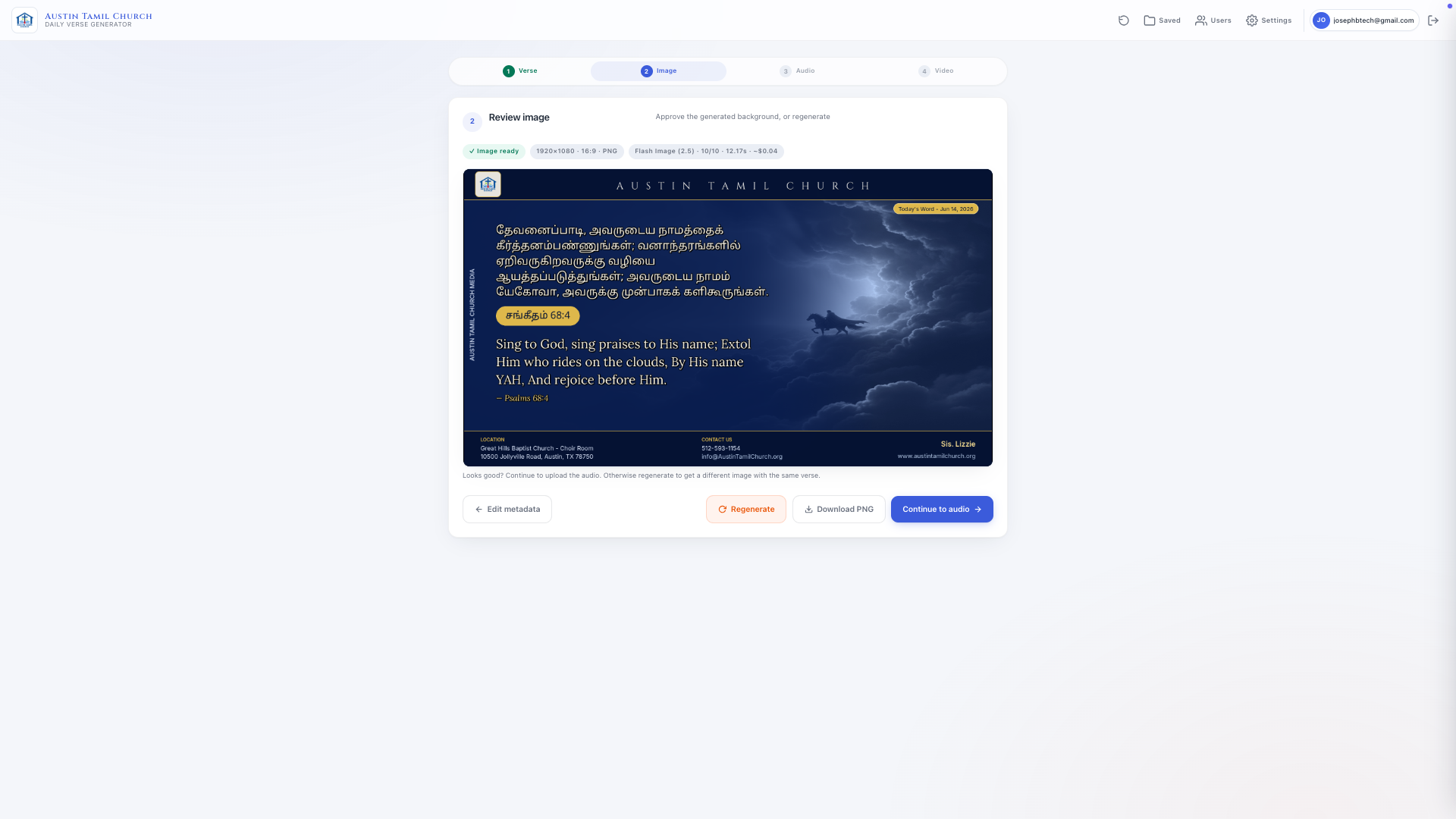
The app uses the api.scripture.api.bible API - a free, well-maintained Bible platform with hundreds of translations. Credit goes to that project for making this possible at no cost.
Two translations are configured by default:
- English: Berean Standard Bible (BSB) -
bba9f40183526463-01 - Tamil: Biblica Open Indian Tamil Contemporary Version (OTCV) -
032ec262506b719f-01
The API key stays server-side only and is never exposed to the browser. Type a reference like John 3:16 and both Tamil and English text appear automatically. If the API key is not configured or a verse is not found, Tamil and English can be typed directly - the app works either way.
The Stack
Flask handles the web server, routing, and the generation wizard. Google Gemini API generates the background image. Pillow handles image compositing. FFmpeg assembles the final MP4. MongoDB stores generation history, user settings, and the access allowlist. An S3-compatible bucket on Railway stores all generated PNG, thumbnail, and MP4 files. Google Sign-In keeps it secure - only allowed church members can access it, per-user daily quotas keep AI spend bounded, and shared download links expire after 30 days. A pytest CI job runs 274 automated tests on every push to GitHub.
Docker and Portability
The entire app is containerised. If I guide someone through setup, they can run a working local instance with docker compose up --build in minutes - no manual dependency installation needed.
The Dockerfile uses a multi-stage build:
Stage 1 - FFmpeg binary: Copies a pre-built static FFmpeg binary from mwader/static-ffmpeg:7.1. No codec compilation, no OS-level dependencies to manage.
Stage 2 - Python builder: Uses python:3.13-slim to build Pillow from source with libraqm, harfbuzz, and fribidi - these are required for correct Tamil script rendering. Getting this right took time. Tamil is a complex script and the default Pillow build does not include the shaping libraries needed.
Stage 3 - Runtime: Minimal production image. Copies only the built packages and the app source. Strips pip, setuptools, and wheel - nothing can pip install at runtime. Runs as a non-root user with all Linux capabilities dropped and a read-only filesystem.
The docker-compose.yml file covers local development - mounts uploads and outputs as named volumes, reads secrets from .env, and includes a healthcheck.
Railway and Serverless Deployment
The app runs on Railway in serverless mode. Push code to GitHub and Railway detects the change, builds the Docker image, and deploys automatically. No servers to provision or patch.
Three Railway services make up the full setup:
- App service: the Flask app container
- MongoDB: stores generation history, user settings, and the access list
- S3 Bucket: object storage for all generated PNG images, MP4 videos, and uploaded church logos
API keys, secrets, and church defaults are set as Railway environment variables - never committed to code. When ARTIFACTS_CLOUD_ONLY is enabled, the app uses only cloud storage and writes nothing to the container disk - safe for ephemeral serverless containers.
Domain and Cloudflare
The domain is registered on GoDaddy. Rather than using GoDaddy’s own nameservers, the nameservers are pointed to Cloudflare. The reason is straightforward: Cloudflare’s free plan provides SSL certificate management, global CDN, DDoS protection, and edge caching - none of which GoDaddy’s basic DNS offers at no cost.
A CNAME record on Cloudflare points the custom domain to the Railway-generated app URL. The result is:
custom domain → Cloudflare (SSL + CDN + security) → Railway (Flask app)
Visitors get a clean domain name, HTTPS enforced automatically, and faster response times from Cloudflare’s edge network - at zero additional cost beyond the domain registration itself.
The Image Generation Problem
The first version sent a 400-token instruction block directly to the Gemini image model - rules, conditional examples, forbidden items, formatting instructions, all in one string. The model was being asked to reason and paint at the same time. Output was inconsistent and slower than it needed to be.
The fix was a two-stage pipeline.
Stage 1 - a fast text model (gemini-2.5-flash) receives a short structured prompt with the verse, book genre context, and colour palette hint. It returns three JSON fields enforced via response_mime_type='application/json' and a typed response_schema:
core_visual_subject- what to drawright_side_elements- details and propsmood_and_lighting- tone, atmosphere, and tonal palette direction baked in
The model’s persona and output rules live in system_instruction, decoupled from the runtime prompt payload.
One prompt rule turned out to matter more than any technical tuning: the extraction stage is explicitly instructed to prefer the literal imagery a verse names - a lamb, a shepherd, bread, worshippers singing - and never to depict God as a figure. Early versions would occasionally read a verse like Revelation 15:3 (“Great and marvelous are Your works, Lord God Almighty”) and try to paint the addressee of the praise rather than the scene of people singing. For a church audience, that distinction is not a nitpick. A guard in the prompt plus a matching check in the image validator fixed it.
Stage 2 - those three values drop into a fixed four-sentence spatial template and go to the image model. The image model only sees concrete nouns and directions. No conditional logic. No formatting instructions. The final prompt is around 50 tokens instead of 400.
The other decision was reversing the model cascade. Before: premium model ($0.134 per image) first. After: cheapest model first, premium as last resort only. Typical generation cost dropped by 71%. The cascade also makes model upgrades trivial: when Google released Nano Banana 2 Lite ($0.034 per image, ~4-second generations) as the replacement for the older flash model, adopting it was a one-line default change - the first attempt got cheaper, faster, and better all at once.
The Video Generation Problem
The original approach re-encoded every frame of the final video from scratch. A four-minute sermon audio meant 60 to 90 seconds of CPU work on Railway’s small container. Longer sermons were even slower.
The insight: the verse card image never changes. It is the same picture for the entire video. Why encode it thousands of times?
The fix: encode a single ten-second clip of the verse card using FFmpeg, then use FFmpeg’s stream loop to repeat that clip under the full audio without re-encoding. Export time dropped to around eight seconds regardless of whether the audio is two minutes or thirty minutes long.
A second, smaller bug surfaced later: finished videos were 7-10x the size of their audio track, even though the source image was only a few hundred KB. The cause was a memory-saving FFmpeg setting (rc_lookahead=0) that had an unintended side effect - it disabled x264’s macroblock-tree mode, the mechanism that lets the encoder skip re-encoding pixels that did not change between frames. Since the verse card never changes, almost every frame should have compressed to nearly nothing; instead, roughly half of each frame was being re-encoded needlessly. Raising that one setting cut video size by more than half with no measurable cost to export speed or visual quality.
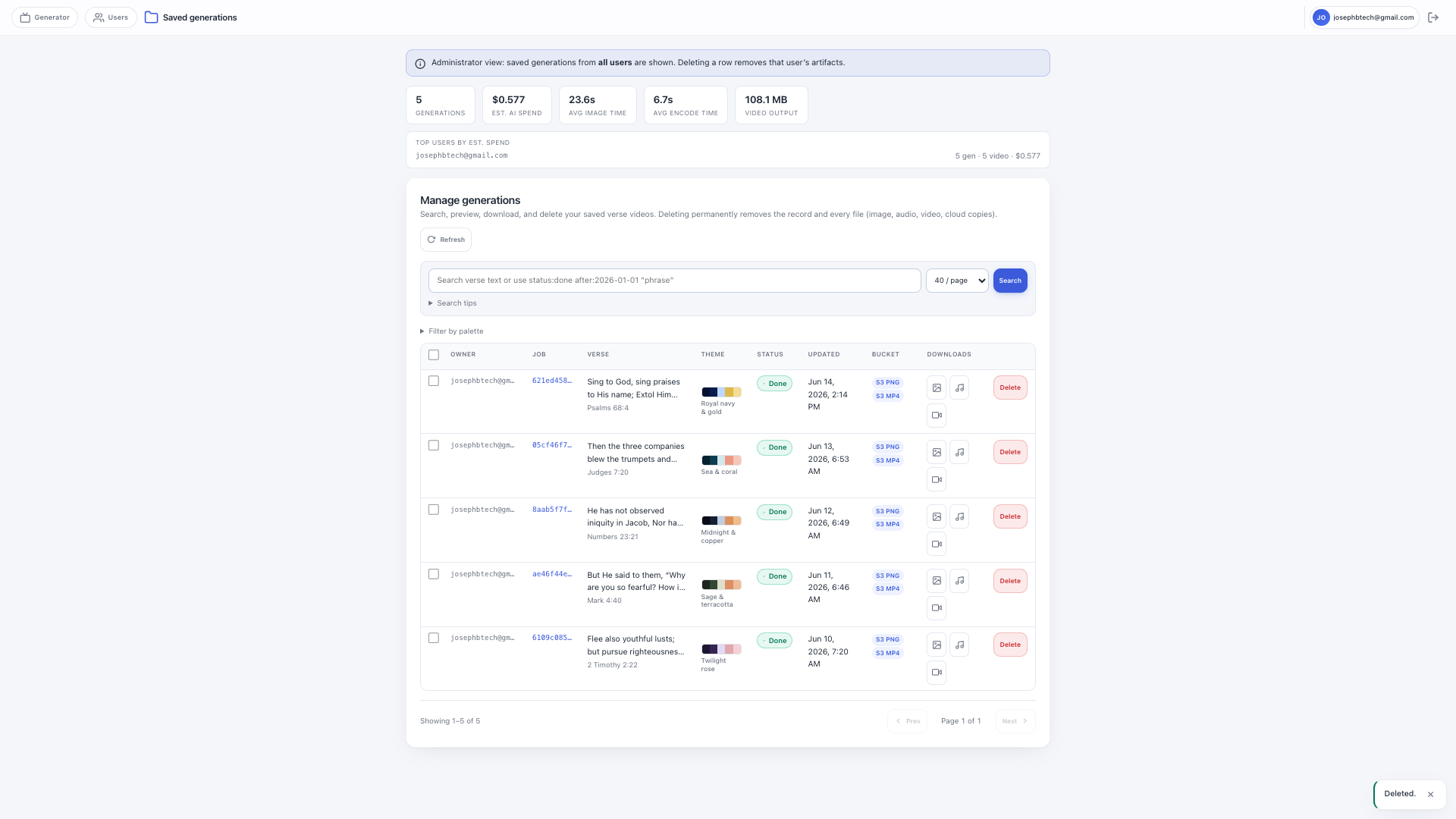
What the History View Shows
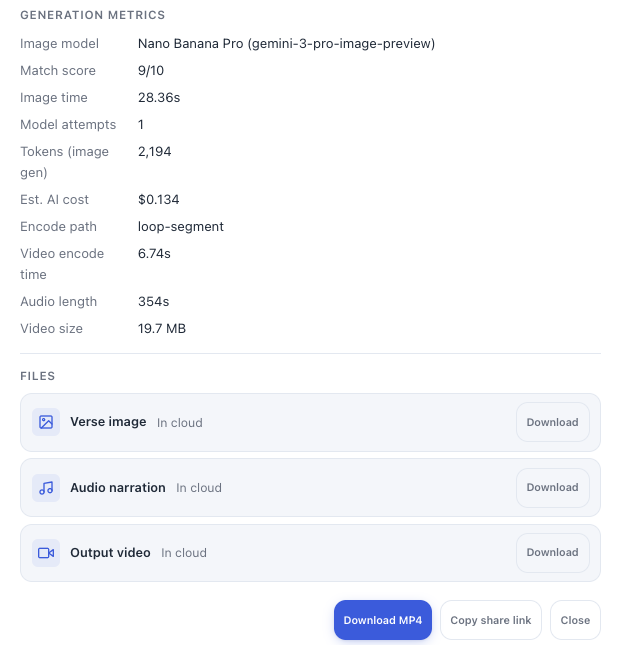
Every generation is stored with full observability data:
- Preview thumbnail of the generated verse card
- Which AI model was used
- Whether the image passed the binary quality check
- Estimated cost in USD (image model + scene extraction + validator)
- Input and output token counts for each AI call
- Total generation time in seconds
- Which verse, date, and church settings were used
This makes it easy to understand spending and catch issues early.
What I Learned
Give AI a brief, not an essay. A 50-word clear instruction outperforms a 400-word essay. Image models are painters - tell them what to paint, not how to think about it. Separating “decide what to draw” (text model) from “draw it” (image model) improved quality and consistency noticeably.
Start with the cheapest option and escalate only if needed. The lite model at $0.034 produces good results most of the time. Only reaching for the $0.134 premium model when the cheaper ones fail cuts costs without sacrificing quality. This one decision reduced image cost by 71% - and made swapping in newer, cheaper models a one-line change.
Don’t re-do work the computer already did. The verse card image never changes during the video. Encoding it once and looping it was an obvious fix in hindsight - it took a while to arrive at, but the result was a 10× improvement in export time.
Containerise from the beginning. The multi-stage Dockerfile means the app runs identically locally, on Railway, and anywhere else. It also makes the Tamil font dependency (libraqm, harfbuzz, fribidi) explicit and reproducible - without it, Tamil text simply will not render correctly.
Write tests before you think you need them. 274 automated tests running on every push caught regressions that would have been invisible otherwise.
The problem matters more than the technology. Understanding what the real friction was - the steps between receiving a WhatsApp message and sharing a finished video - took longer than building the solution. Once that was clear, the rest followed.
Pros and Cons
What worked well: self-service means nobody has to wait on me. The AI background consistently matches the verse mood. Tamil and English text is fetched automatically. Per-user settings make it portable to any church. The generation history gives full cost and quality visibility. Railway serverless means zero server maintenance.
What was hard: the audio still has to be manually downloaded from WhatsApp before uploading. Tamil font rendering across different operating systems took significant effort to get consistent. Getting the image quality check right required more iteration than expected. This was all built alongside a full-time job.
For Other Churches
If your church has a repetitive creative task that relies on one willing volunteer, there is probably a way to automate at least part of it.
Rough costs: about $0.04 per generated video for the AI image, Railway hosting around $5 a month, MongoDB on the free tier, and minimal S3 storage. The Bible API is free. Google Gemini has a free tier for experimentation.
Time investment: a few weekends for a working version, a few months to polish and optimize. Ongoing maintenance is minimal once it is running on Railway.
The biggest prerequisite is not any particular technology. It is one person in the church willing to learn, experiment, and occasionally debug things late at night.
Let’s Connect
The code is not publicly shared, but I am happy to guide anyone building something similar. If you are working on a church tech project, feel free to connect with me on LinkedIn - I can share tips, answer questions about specific parts of the stack, or just encourage you along the way.
Connect with me on LinkedIn → linkedin.com/in/josephvelliah
A Word of Thanks
I want to close with something more important than the technology.
To my church family at Austin Tamil Church - thank you for giving me the opportunity to serve. This project started because of your faithfulness. The daily 5 AM prayers, the consistency, the heart behind sharing God’s word every morning - that is what inspired this. You gave me a real problem to solve, and that is the best kind of motivation a builder can have.
And above everything, all praise and glory to Jesus. When I began this with a desire to serve, He provided the wisdom, the patience through the late nights of debugging, and the clarity when things were not working. Every good thing in this project came from Him. I built the code, but He ordered the steps.
If you are reading this and wondering whether to start something similar for your church - do not wait until you feel ready. Start with the problem in front of you. Serve with what you have. The learning will come along the way.
If you are ever in the Austin, Texas area, you are warmly welcome to join us for worship at Austin Tamil Church. We would love to have you. austintamilchurch.org